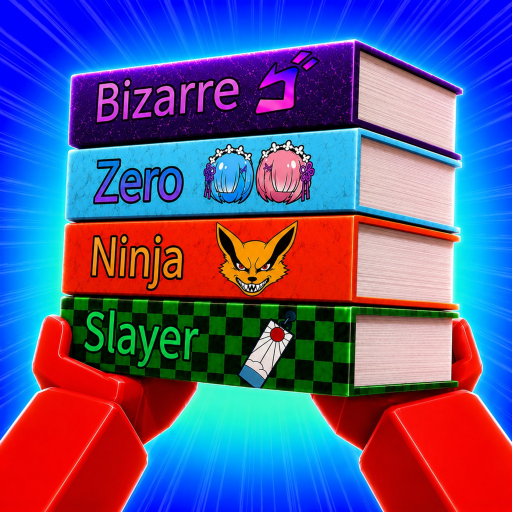
Bizarre
Official media label · checked 2026-08-20
Location unknown
Search the ten shelf labels captured from Clean the Manga Shop!'s official media, keep a device-local shift checklist, and read exactly how the catalog was built.
The game's official description teaches placement with one sentence: look at the maps, category signs, and shelf nameplates. This tool is the pre-reading version of that sentence — the ten labels the official media documents (Bizarre, Zero, Ninja, Slayer, Chainsaw, and five more), searchable by partial name, each one a category you can expect a shelf sign to use. Type part of a label to confirm whether it is part of the documented set, mark what your shift has cleared, and treat a blank result as the tool's most useful answer: a category outside the documented set, which means the in-game sign — not this list — decides.
Search the ten labels verified in official game media, then keep a device-local checklist for your shift.
Catalog note: this list is incomplete, and shelf locations are unknown. Use in-game maps, category signs, and shelf nameplates for placement.
Official media label · checked 2026-08-20
Location unknown
Official media label · checked 2026-08-20
Location unknown
Official media label · checked 2026-08-20
Location unknown
Official media label · checked 2026-08-20
Location unknown
Official media label · checked 2026-08-20
Location unknown
Official media label · checked 2026-08-20
Location unknown
Official media label · checked 2026-08-20
Location unknown
Official media label · checked 2026-08-20
Location unknown
Official media label · checked 2026-08-20
Location unknown
Official media label · checked 2026-08-20
Location unknown
Source: Official game page media, first cataloged 2026-08-20 and re-checked 2026-10-03.
The catalog is deliberately conservative. Every row traces to media published on the game's official Roblox page — the preview video and gallery images the creator uploaded — which is why the tool can show a checked date per label and why shelf locations are not attached to any of them: official media shows the category names, but the shop layout varies by server and no authoritative source maps label to shelf position.Ten shelf labels are legible in the game's official Roblox media. Each echoes a well-known manga genre or franchise vibe (fighting shonen, cyberpunk, supernatural, pirate adventure), which is the game's own shorthand for a category sign — the in-game signs and nameplates, not this list, decide where a volume goes. When a future update adds categories, the official page's Updated stamp changes first — the update watch tracks that signal, and the catalog here gets new rows only when official media shows them.
Two jobs: it is a searchable list of the ten shelf labels documented in the game's official media, and it is a shift checklist — mark labels as completed and the state saves to your device's local storage, so you can track a run's progress without an account.
The catalog holds exactly ten verified labels. A search for anything else — a full franchise name, a spelling variant, a label from a different cleaning game — has no row to match. The tool answers that honestly with a not-in-catalog result instead of a guess, because placing a volume on the wrong shelf loses more time than checking the sign.
Trust the in-game sign. This catalog is a snapshot of what official media showed on its checked date, not a live feed of the game — a server can display categories this list has never seen. The tool's job is to flag that difference, not to overrule the shop you are standing in.
In your browser's local storage under a Clean the Manga Shop key — nothing is uploaded, no account is involved, and clearing site data resets the checklist. The reset button does the same thing in one click.